WORK / LIVE DEMOS
Builds you can inspect.
Ten live concept builds across HVAC, plumbing, ecommerce, fitness, roofing, landscaping, home cleaning, electrical, painting, and garage doors. The six trade builds below were each rebuilt around a different structure — a storm desk, a garden journal, a week board, a field manual, a colour atelier, and a workshop catalogue — not one template with new colours. Every preview is a real capture and every link opens the actual site. No mockups, no borrowed logos, no invented client results.
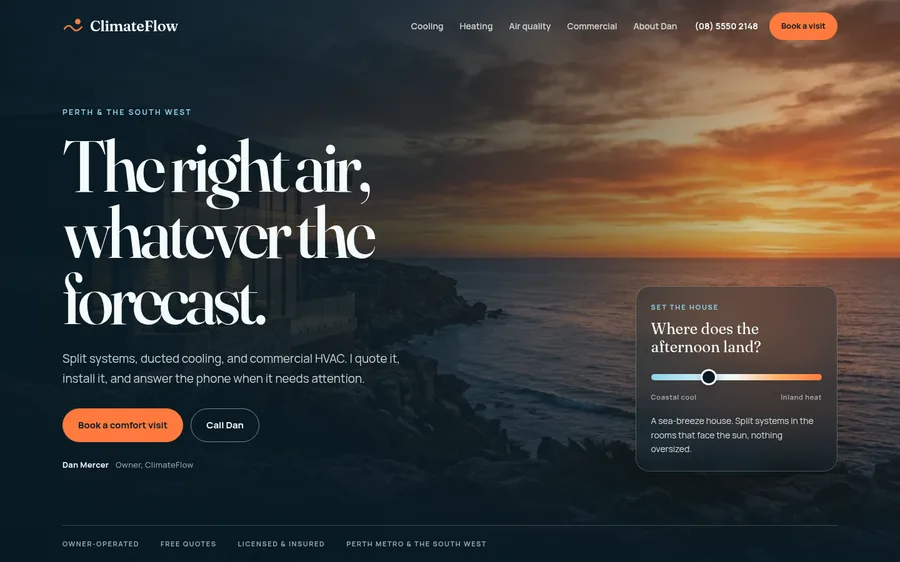
ClimateFlow Heating & Cooling
A commissioning-dossier concept for an HVAC contractor: a design-load sheet, a four-system schedule, a releaseable hold-point sequence, and a quote form that issues a demo receipt. It is a design demonstration, not a published client result. See the HVAC website pattern behind it.
- Design-load sheet with cool / heat toggle
- System schedule and hold-point sequence
- RFQ form with demo receipt

Titan Plumbing & Emergency Repairs
A dispatch work-order concept: an issue queue in the hero, a ruled capability ledger, a flat-rate invoice, and a service form that reads like a ticket. It is a design demonstration, not a published client result. See the plumber website pattern and the local SEO guide.
- Ticket-queue hero with live estimate states
- Ledger, invoice, and stamped work-order system
- Local SEO page blueprint
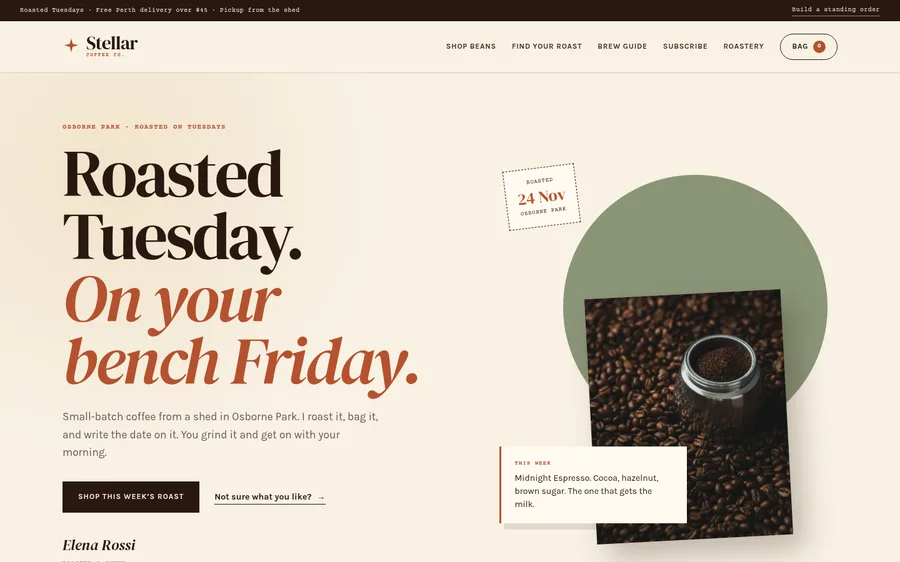
Stellar Coffee Co.
A roaster’s journal concept: masthead, issue folios, cupping entries, and a working order slip. It is a design demonstration, not a real roastery. The pattern behind it is covered in our ecommerce cost guide.
- Editorial journal layout
- Cupping notes and roast scale
- Working cart and newsletter flow
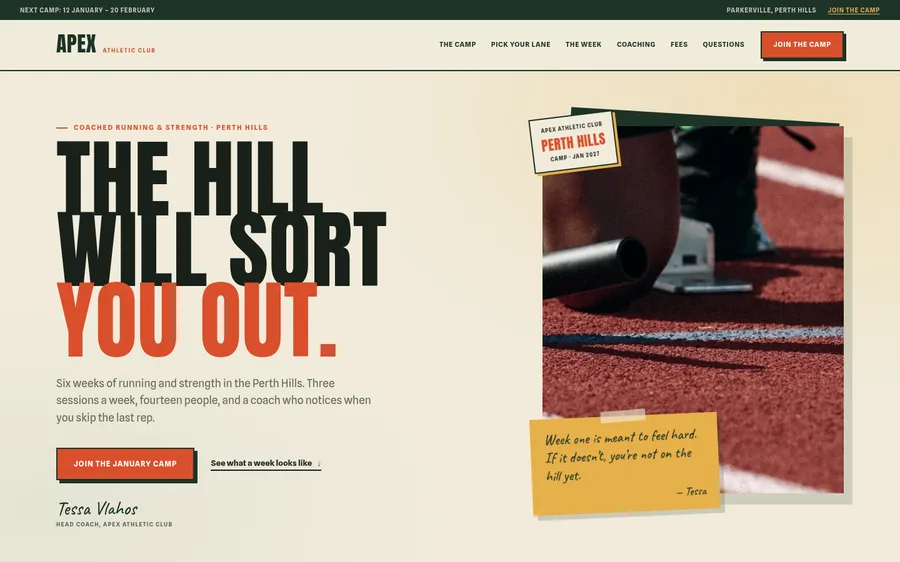
Apex Fitness
A performance-dashboard concept for a training app: a sticky control rail, live readiness and load cards, a method readout, and a plan switch. It is a design demonstration, not a real product.
- Dashboard shell with control rail
- Telemetry cards and signal chart
- Monthly / annual plan switch
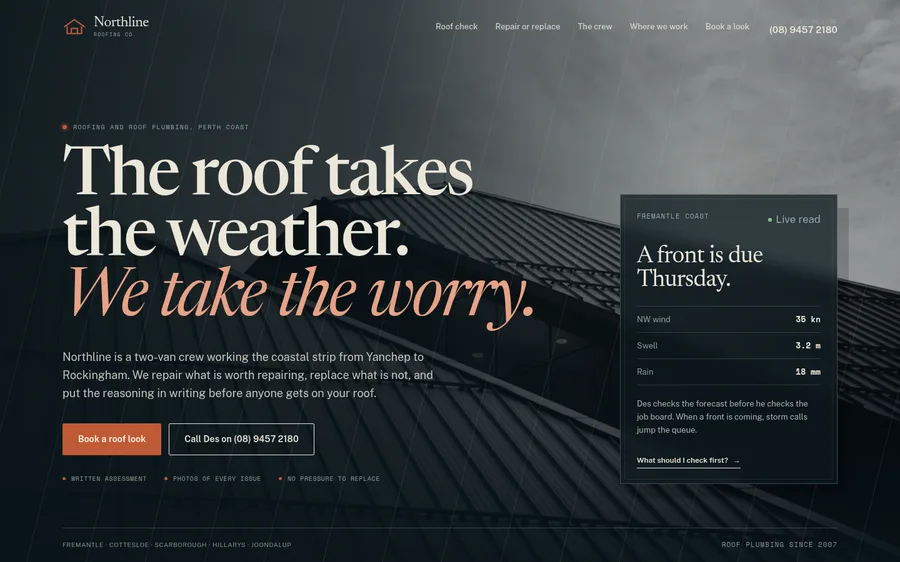
Northline Roofing Co.
A storm desk, not a brochure: a 60-second roof check sorts urgency before a form field, a repair-or-replace spread names the trade-offs, and the written assessment keeps the next step on paper. A design demonstration, not a real contractor.
- Three-question roof check with a written next step
- Repair-versus-replace comparison
- Storm line and assessment request
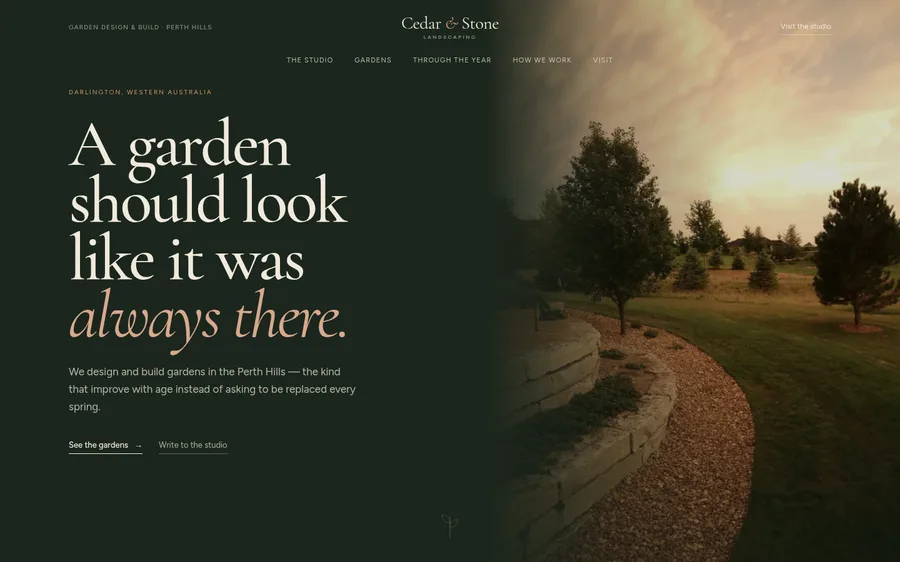
Cedar & Stone Landscaping
A garden journal in four seasons. The cover opens into a planting-year index, three garden plates, and a studio letter that reads like correspondence rather than a quote form. A design demonstration, not a real landscaping studio.
- Four-season planting journal
- Three garden plates with studio notes
- Letter-form enquiry
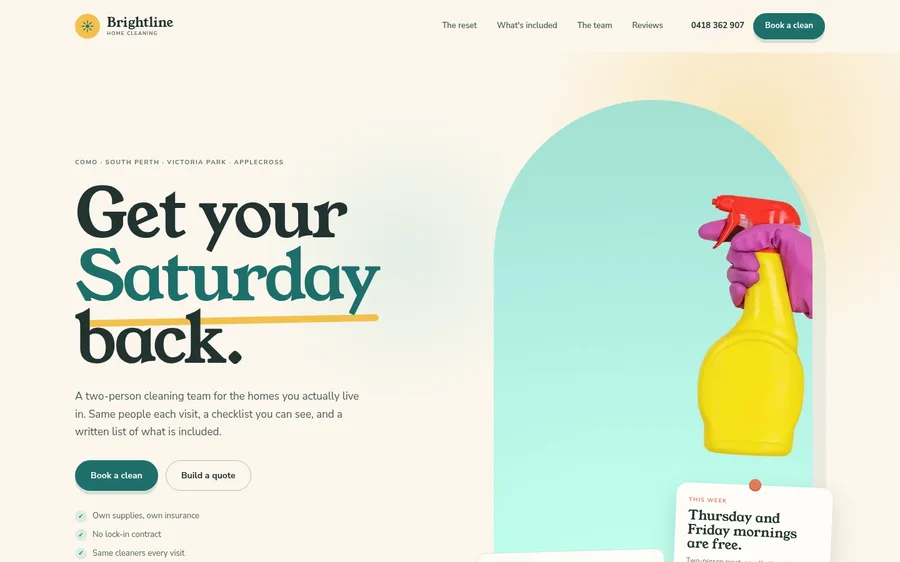
Brightline Cleaning
A week board for the house. Pick the rooms to build a checklist, set a weekly rhythm, follow a Tuesday visit hour by hour, then tear off a booking slip. A design demonstration, not a real cleaning company.
- Room-by-room clean board with live time
- Weekly rhythm and visit timeline
- Tear-off booking slip
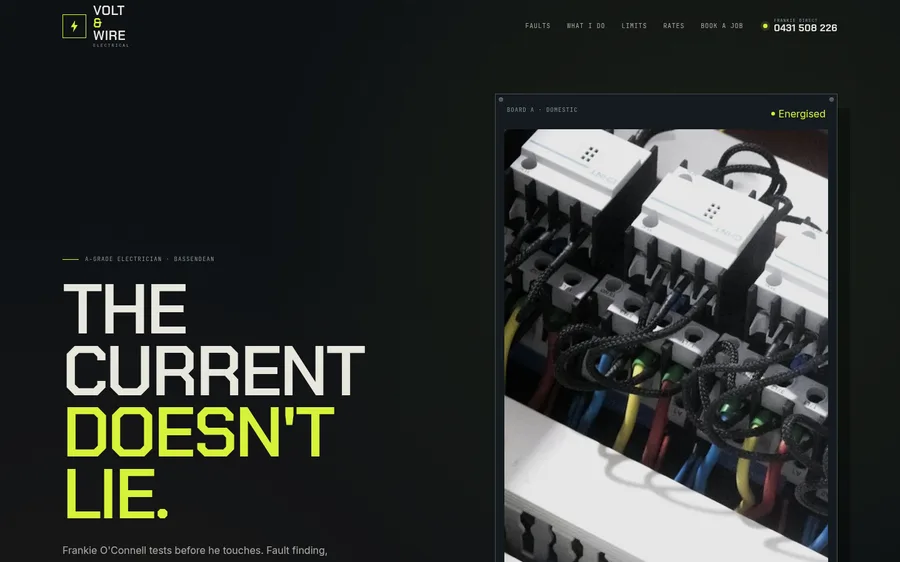
Volt & Wire Electrical
A field manual for the fuse board. A fault finder triages the symptom, the work-order index names the job, four steps cover the visit, and a plain limits page says what the trade will not do. A design demonstration, not a real electrician.
- Fault finder with urgent / soon / planned triage
- Work-order index and four-step visit
- Job-card request with property notes
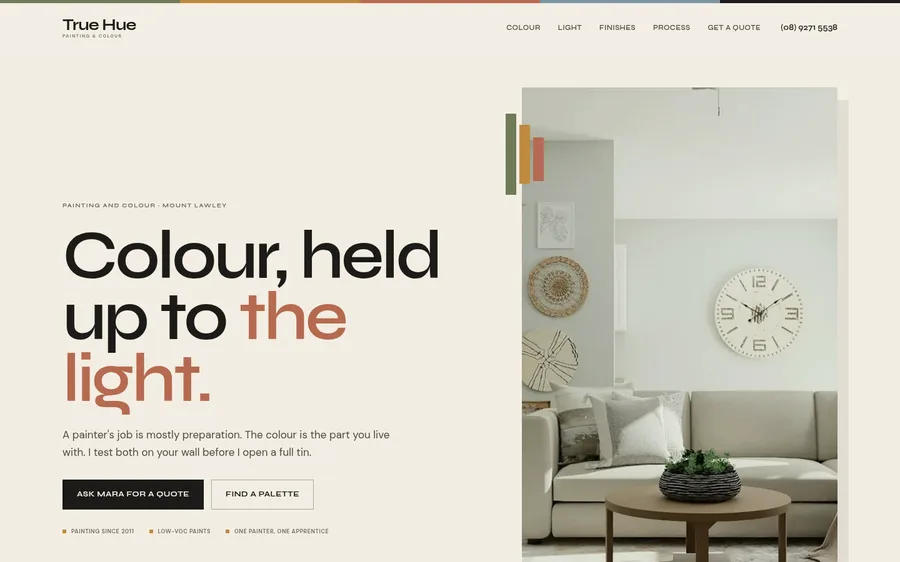
True Hue Painting
A colour atelier. Choose a palette and watch a room answer, compare the same colour under different light, browse finish specimens, and ask for a quote in three lines. A design demonstration, not a real painting studio.
- Palette switcher with live room preview
- Same colour, different light
- Three-line quote request
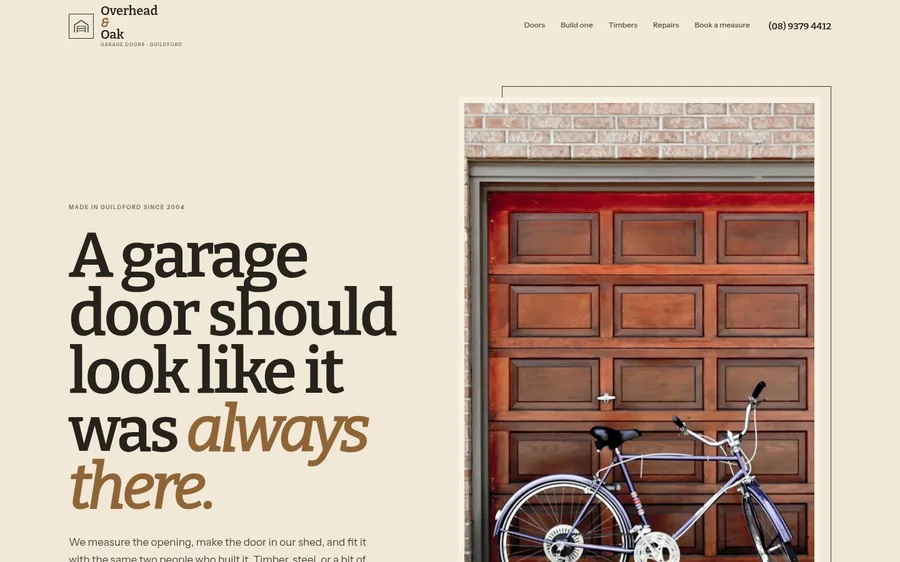
Overhead & Oak Garage Doors
A workshop catalogue for the opening. Build a door face from style, finish, and size, read the repair symptom first, follow the four-visit install, and commission the job. A design demonstration, not a real garage-door company.
- Door-face builder with live price
- Repair symptom ledger
- Commission slip with opening measurements
How to review a demo in five minutes
Most people judge a website by whether it “looks professional.” That is the easy part. Use this checklist instead — it is the same one we use before a build ships:
- Open it on your phone, not your laptop. Check whether the phone number or primary button is reachable with a thumb. If you have to hunt for it, a customer will leave.
- Read the first screen out loud. You should be able to say who the business serves and what it wants you to do next. If the headline is a slogan, the page is hiding the offer.
- Count the calls to action. One primary action per screen is usually right. Five competing buttons is the same as none.
- Look for proof you can verify. Real photos, license details, service areas, and reviews from named customers. Stock photos and logo walls are decoration, not proof.
- Try to find a specific service. If everything lives on one “Services” page, the site cannot rank for panel upgrades, EV chargers, drain cleaning, or whatever the money job is.
- Submit the form. See what happens. A form that disappears into an inbox with no confirmation is a lead you will never know you lost.
- Check the speed. Reload on mobile data. If the hero image takes more than a couple of seconds, the page is already losing people.
- Ask what happens after launch. Who updates hours, adds a service, fixes a broken link, and watches the forms? A site without an owner goes stale.
What these builds are designed to prove
One clear next step
Each concept picks a primary action — call, request a quote, start an assessment, or place an order — and repeats it without crowding the page. That is the conversion pattern we carry into client builds.
Service-depth structure
The trade concepts separate emergency work, planned work, and high-ticket services. That structure is what lets a real site compete for specific searches instead of one generic “contractor” keyword.
Fast static pages
The demos are hand-built HTML, CSS, and JavaScript. No page builder, no plugin stack, no render-blocking widget pile. Fast pages are a feature, not a bonus.
Mobile-first details
Sticky call access, readable type, short forms, and tap targets that work in a driveway. Most local searches happen on a phone, often on a bad connection.
What these builds are — and are not
They are real, working websites built by Motus Works to demonstrate layout, content structure, and conversion flow. They are not client projects, and the business names, reviews, phone numbers, and results inside them are illustrative. We do not publish invented case studies, borrowed logos, or made-up revenue numbers. When we have client work we can share, it will appear here with the client’s permission and the actual numbers behind it.
If you want to know what a build costs before you inquire, read the 2026 website cost guide. If you want to know how the pages are structured for search, start with technical SEO and the trades hub.
Which pattern fits your business?
The right structure depends on how customers search and what a job is worth. These are the closest starting points:
- Electricians: emergency calls, panel upgrades, EV chargers, and service-area pages. See electrician website design.
- Plumbers: urgent repairs, drain cleaning, water heaters, and dispatch-style contact. See plumber website design.
- HVAC: repair-versus-replace decisions, maintenance plans, and seasonal demand. See HVAC website design.
- Roofing and exterior trades: storm damage, inspections, project galleries, and financing. See the trades hub.
- Ecommerce: catalog, product photography, payments, and shipping. See the ecommerce cost guide.
Build notes
No page builder
These are hand-built HTML, CSS, and JavaScript pages. The Motus Works site is assembled with Vite and deployed to Cloudflare Pages. The demos are static sites.
Live forms and payments
Motus Works uses Cloudflare Functions, Turnstile, and Stripe for contact, accounts, and payments. Demo forms are disabled or return a demo-only message.
No invented proof
There are no reviews, client logos, or results shown here. All ten demos are labeled concept builds with illustrative copy.
Want work like this for your business?
Own It from $1,500 once or Rent It from $150/mo. First version in 7 business days for Launch and Lead Engine. Buy out anytime at the full Own It price, with no invented proof. See the cost breakdown before you commit.
Request a callback See Pricing